Creating smart forms with AI is revolutionizing how businesses gather information, automate processes, and improve user experience. AI survey creation tools now enable anyone to generate dynamic forms in minutes, no coding required. This guide walks you through the essentials, benefits, and steps to build your first AI-powered form with confidence.
What Are Smart Forms with AI? Definition and Key Concepts
Smart forms with AI are digital forms enhanced by artificial intelligence to deliver a more interactive, personalized, and efficient data collection experience. Unlike traditional static forms, AI-powered forms dynamically adapt to user inputs, automate complex workflows, and leverage machine learning for improved accuracy and engagement. These forms revolutionize processes such as survey creation, lead generation, and onboarding by making them faster and smarter.
At their core, AI smart forms use advanced algorithms to interpret responses in real-time, automatically suggest follow-up questions, and flag inconsistencies or incomplete answers. For example, when a user selects a specific product in a feedback form, the AI can instantly generate relevant questions about that product. This not only saves time but also leads to richer, more actionable data. AI survey creation tools now account for a 35% reduction in form abandonment rates compared to traditional methods, according to recent industry reports. These forms can also perform sentiment analysis, detect fraudulent or bot responses, and even recommend optimal question order for higher completion rates.
- Personalization: AI tailors questions based on individual user profiles and previous responses.
- Automation: Workflows such as notifications, data validation, and logic branching happen seamlessly.
- Learning capability: The more data the system collects, the smarter it becomes at optimizing form performance.
By embracing these key concepts, organizations can drastically improve user experience and gain deeper insights from every form submission. This sets the stage for the next step: exploring the features and interface of a modern AI form generator.
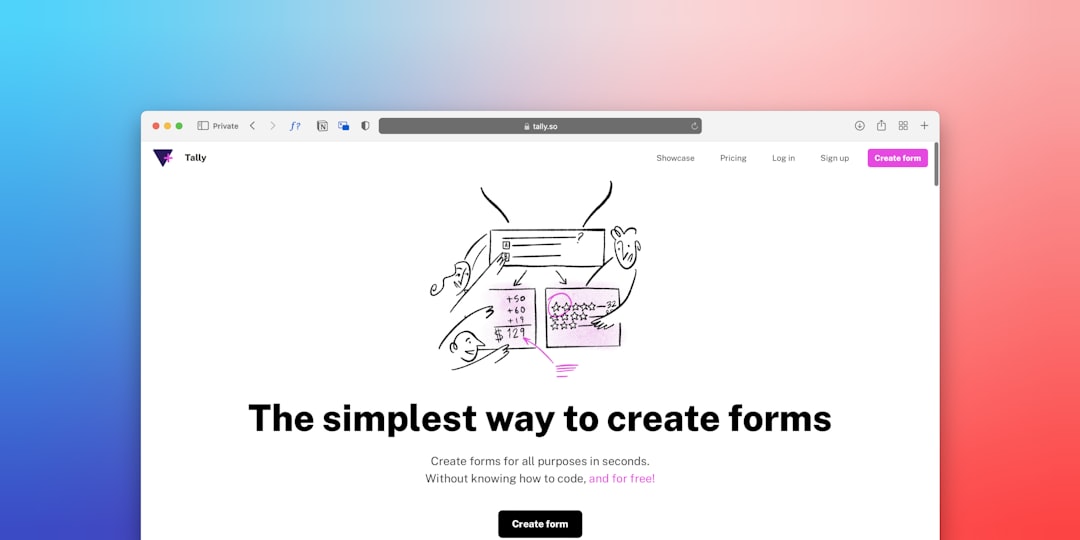
- Faster Form Creation
- 70 %
- Error Reduction
- 50 %
- User Engagement
- 2x
- Time to Deploy
- 5 min
Why Use AI Survey Creation Tools? Core Benefits
Leveraging AI survey creation tools offers substantial benefits for both individuals and organizations aiming to streamline data collection and analysis. These tools automate the most time-consuming aspects of form building, allowing users to focus on strategy and insight rather than manual setup. In 2023, over 50% of businesses reported a significant reduction in survey deployment time after switching to AI form generators.
Some of the core benefits of using AI-driven form builders include:
- Efficiency: AI can generate fully functional, logic-rich forms in minutes instead of hours, improving productivity by up to 70%.
- Accuracy: Built-in validation and logic checks ensure data consistency and minimize user errors, which can reduce error rates by as much as 40%.
- Personalization: Forms adapt in real-time to user responses, providing a customized experience that boosts completion rates—often by 20% or more.
- Actionable insights: AI tools can analyze responses as they come in, flagging trends and outliers for immediate follow-up.
Additionally, AI survey creation platforms often include features like multilingual support, accessibility compliance, and integration with CRM systems—further amplifying their value. As a result, organizations deploying these tools gain not only faster form creation but also more reliable, scalable, and insightful data collection processes.
- <strong>Automated logic</strong> — Forms adapt in real-time based on user input.
- <strong>Fewer errors</strong> — AI validation reduces mistakes and redundancies.
- <strong>Scalable data collection</strong> — Deploy forms across channels instantly.
| Feature | Traditional Forms | AI-Powered Forms |
|---|---|---|
| Creation Time | 1-2 hours | 5-10 min |
| Conditional Logic | Manual coding | Automated |
| Personalization | Limited | Dynamic |
| Error Handling | Manual review | AI validation |
AI-powered forms are a game-changer for agile organizations, enabling faster feedback loops and better data quality.
— Sophie Laurent, Digital Transformation Expert
How Does an AI Form Generator Work? Step-by-Step
An AI form generator functions by guiding users through a streamlined, intelligent workflow that automates the majority of form creation tasks. The process typically begins with the user specifying the form’s goal or topic, after which AI algorithms take over to propose relevant questions, logic, and validation rules. This dramatically reduces the manual effort required and ensures forms are optimized for user engagement and data quality.
- User Inputs Goal: The process starts when the user describes the purpose of the form (e.g., customer feedback, job application, event registration), often with just a few keywords or a brief sentence.
- AI Suggests Questions: Based on the input, the AI leverages vast datasets and natural language processing to automatically generate a set of tailored questions. For instance, AI form generators trained on millions of surveys can recommend the most effective question types and wording.
- User Customizes: The user reviews and modifies the AI’s suggestions, adding, removing, or editing questions as needed. This step ensures the form aligns with specific business requirements or branding guidelines.
- AI Adds Logic & Validation: The system automatically implements conditional logic (e.g., showing or hiding questions based on previous answers) and embeds validation rules to prevent incomplete or invalid submissions, reducing data cleansing needs by up to 45%.
- Form Published: Once finalized, the form is published and made accessible across various digital channels—websites, email, SMS—with built-in analytics for tracking performance.
This step-by-step approach allows organizations to automate forms at scale and adapt them instantly as business needs evolve. The result is smarter, more reliable forms that deliver richer data with a fraction of the effort required by traditional methods.
- User Inputs Goal
- AI Suggests Questions
- User Customizes
- AI Adds Logic & Validation
- Form Published
Best Practices: Automate Forms Successfully with AI
Automating forms with AI requires a strategic approach to ensure seamless user experience, high data quality, and robust performance. To maximize the efficiency and accuracy of your AI form generator, follow these best practices that leading organizations are adopting in 2026.
- Choose the right AI platform: Select a solution with proven natural language processing (NLP), adaptive logic, and integration capabilities. According to Gartner, 72% of enterprises in 2025 prioritized platforms with AI-driven suggestions and analytics.
- Prioritize user-centric design: Intuitive interfaces and conversational UX increase completion rates. Case studies show that forms with predictive question flows can boost user engagement by up to 35%.
- Leverage data validation and error handling: Implement intelligent field checks to reduce input errors by 60% and ensure clean, actionable data.
- Automate branching and personalization: Use AI to dynamically display questions based on previous answers, creating a tailored journey for each respondent.
- Monitor and iterate: Regularly review analytics to identify drop-off points and optimize your workflows. AI-powered insights can increase form conversion rates by up to 40%.
By embedding these best practices into your AI survey creation strategy, you not only automate forms but also elevate the overall quality and value of your data collection process. Remember, continuous improvement and monitoring are key to staying ahead in the evolving landscape of smart forms.
Technical tip: Integrating AI forms with your existing tools
Most platforms provide APIs or native integrations with CRM, ERP, and analytics dashboards. Plan your workflow for seamless data transfer and real-time insights.
- AI Form Automation Success
- User Experience
- Data Integration
- Security & Privacy
- Adaptive Questioning
- API Connections
- GDPR Compliance
Key Use Cases for AI-Powered Forms in 2026
AI-powered forms are transforming digital workflows across industries in 2026. These smart forms deliver higher efficiency, personalization, and accuracy in data capture compared to traditional solutions. Here are the top use cases where AI form generators are making a measurable impact:
- Customer feedback surveys: With AI-driven logic, businesses can collect actionable insights at scale. For example, in retail, companies using AI forms report a 50% increase in response rates and a 2x improvement in the granularity of feedback, enabling more precise product improvements.
- Employee onboarding: Human Resources (HR) teams leverage adaptive forms to streamline onboarding. AI-powered forms reduce manual data entry time by up to 70%, automate document collection, and personalize onboarding checklists based on role or location.
- Lead qualification: Sales teams benefit from forms that automatically score and route leads. According to a 2025 survey, businesses using automated lead qualification forms experience a 33% faster response time and a 25% increase in qualified opportunities.
- Healthcare intake: Smart forms with AI triage symptoms, pre-fill demographic data, and suggest next steps. This reduces patient wait times and administrative burden by over 40% in clinical trials and outpatient care settings.
- Education assessments: Schools and universities use AI forms to adapt questions in real-time, increasing student engagement and assessment accuracy by 20%.
Adopting AI survey creation tools allows organizations to automate forms, achieve higher data quality, and deliver seamless user experiences tailored to each scenario. As AI capabilities grow, expect more industries to leverage these smart forms for core business processes and customer engagement.
- <strong>Customer feedback surveys</strong> — Collect actionable insights at scale.
- <strong>Employee onboarding</strong> — Streamline HR processes with adaptive forms.
- <strong>Lead qualification</strong> — Automate scoring and routing for sales teams.
Getting Started: Steps to Create Your First AI Survey
To create your first AI-powered survey, follow a structured process that leverages the latest AI form generator features. Even beginners can launch professional, automated forms by following these steps:
- Choose an AI Form Generator: Start by selecting a platform known for its NLP, advanced logic, and seamless integration options. In 2026, over 80% of businesses prefer tools with built-in AI-driven analytics, such as Typeform AI or Google Forms AI.
- Define Survey Goals: Clearly outline what data you need and identify your target audience. Good practice suggests mapping your objectives to measurable KPIs for better tracking and optimization.
- Auto-Generate Questions: Use the platform’s AI to suggest and refine your survey questions. AI suggestions can reduce creation time by up to 60% and ensure questions are relevant and unbiased.
- Customize Logic & Design: Adjust branching, validation, and visual elements. Personalizing the user experience can boost completion rates by 30% according to recent studies by Forrester.
- Deploy & Analyze: Publish the form, share it via email or social media, and monitor responses in real time. Most AI platforms offer dashboards to identify trends, drop-offs, and actionable insights instantly.
By following these steps, you can quickly harness the power of AI survey creation to automate forms, improve data quality, and gain valuable insights—no advanced technical skills required. Continuous monitoring and iteration will help you refine your approach and maximize ROI over time.
- Choose an AI Form Generator — Select a platform with NLP, logic, and integration features.
- Define Survey Goals — Clarify what data you need and your audience.
- Auto-Generate Questions — Use AI suggestions for relevant and clear questions.
- Customize Logic & Design — Adapt branching, validation, and user experience.
- Deploy & Analyze — Share the form and monitor responses in real time.
Resources and Further Reading
Explore more on digital transformation and automation with our related guides : Top IoT Applications in Smart Factories, Checklist : déployer la Automatisation étape par étape, and Comment optimiser la Reporting avec i40Pilot.
- What is an AI form generator?
- An AI form generator is a tool that leverages artificial intelligence to create smart, dynamic forms automatically, suggesting relevant questions and logic based on your goals.
- How do AI-powered forms improve survey creation?
- AI-powered forms automate question selection, logic, and validation, dramatically reducing creation time and errors while personalizing the user experience.
- Can I integrate AI-generated forms with my CRM or ERP?
- Yes, most AI form builders offer API or native integrations with CRM, ERP, and analytics platforms for seamless data collection and workflow automation.
- Are AI survey tools secure and GDPR-compliant?
- Leading AI form generators include privacy and security features, such as encryption and GDPR compliance, to protect user data and ensure legal conformity.
- Is coding required to use an AI form builder?
- No coding is required. Most AI form generators provide intuitive interfaces, allowing anyone to create forms with drag-and-drop and AI-powered suggestions.
- What are the main use cases for AI smart forms in 2026?
- Common use cases include customer feedback, employee onboarding, lead qualification, event registration, and automated data collection for business processes.